








QR Code Tracking | Measure Your QR Code Success Now
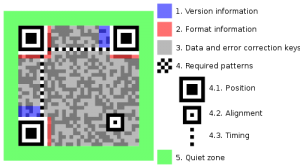 Originally designed for the automotive industry, the Quick Response (QR) code system is a two-dimensional (matrix) barcode. Because of its vast storage capacity and quick readability, the QR code has become popular across a wide range of industries.
QR History
Created in 1994 by Denso Wave (subsidiary of Toyota), the QR code was designed for quick decoding of its contents. As one of the most popular matrix barcodes, is most frequently used in Japan, Korea and the United Kingdom (7th largest national user of QR codes.)
Consumer Use
Designed to track automobile parts, QR codes are now used for everything from:
- Commercial Tracking
- Entertainment
- Product/Services Marketing
- In-Store Product Labeling
- User receives a text
- User adds vCard contact to device
- Opens a Uniform Resource Identifier (URI)
- Code composes an e-mail or text message
Mobile devices that are camera-equipped, with the appropriate reader application, can scan a QR code to:
- display text
- contact information
- connect directly to a wireless network
- open a webpage
QR codes may appear in or on:
- Magazines
- Signs

- Buses
- Business Cards
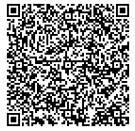
Creating QR Codes
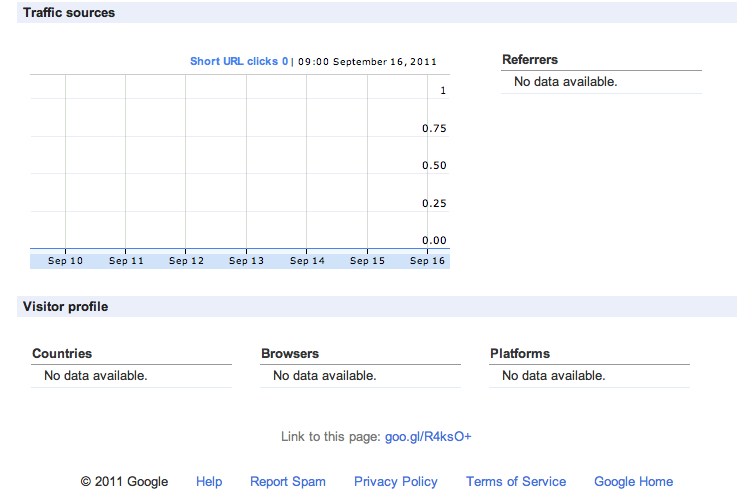
First off, at Top Marketing Agency we have experience setting up, measuring and tracking QR Code campaign success. If you or your business would like to set up your own code and measure it, here are some free QR tracking instructions. However, if you prefer that Top Marketing Agency helps setup your QR Code campaign due to time restraints or other reasons, just contact us and we’ll be happy to help. QR codes can be used for a number of sales and marketing campaigns; including promotional events, sales, seasonal specials, etc. Tools on the Internet allow anyone to easily create and track QR codes in four easy steps:
- Planning the Campaign – sit down with Top Marketing Agency expert to determine just exactly the most effective way to segment the analysis of your QR campaign. Each segment will require a different QR code. For example, say you will have postcards, window stickers at real-world locations and included within a billboard or other advertising. You can set your QR codes to track each area (stickers, postcards, billboard); but you may decide to track each store separately, postcards by zip code etc. This being the case, a QR code must be established for each segment to be analyzed once the campaign is launched.
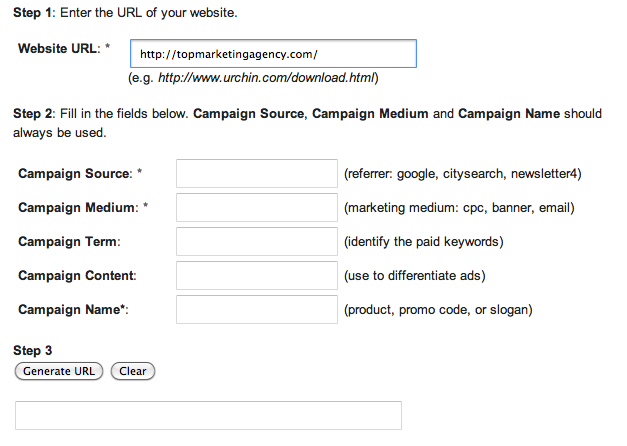
- Create URLs – using Google URL Builder, create each segment’s URL. Google Analytics will be able to track the unique URLs in the “Campaign” section once the campaign is launched. The URL creator allows you to set the unique characteristics to track each segment easily:
 3. Shorten URL – using a shortening application to create a shortened URL for every unique URL created in Step 2. There are numerous URL shortening applications, including: goo.gl; bit.ly; and many others. Choosing a service with its own analytic tools can allow tracking of your campaign as well. Although this particular step is purely optional (QRs can be created from the longer, Step 2, URLs), the shorter URL will reduce the size of the QR code, allowing a more elegant fit into campaign slogans, logos and literature.
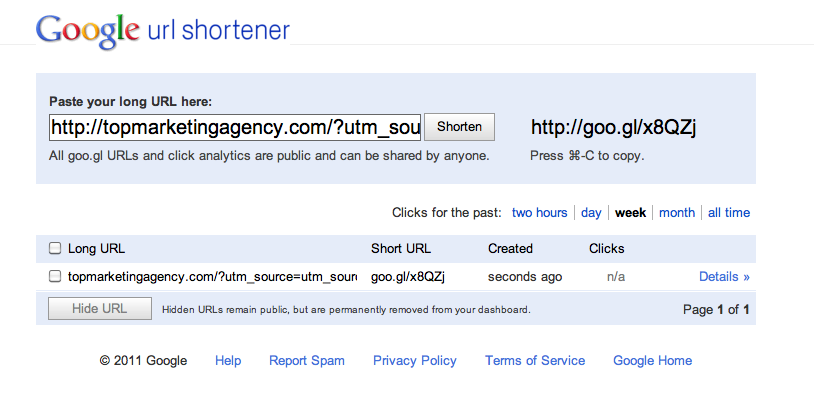 4. Generate QR code – similar to Step 3, copy + paste the shortened URL (from Step 3) into the QR Code Generator. Within the goo.gl URL shortener, the QR code is automatically generated.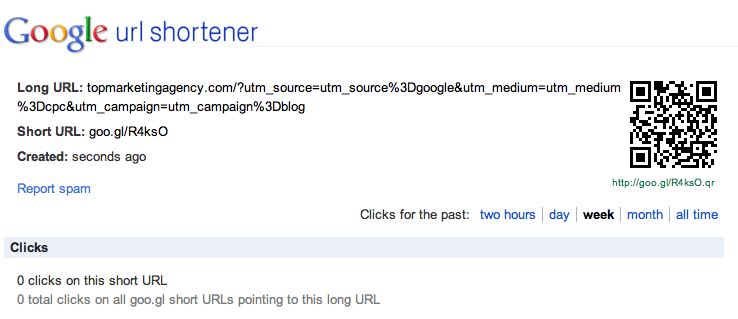











My business has worked with Top Marketing Agency for the past few years and they have been amazing. Their agency is like an extension of our company, they know what we need and they are driven to help us succeed!